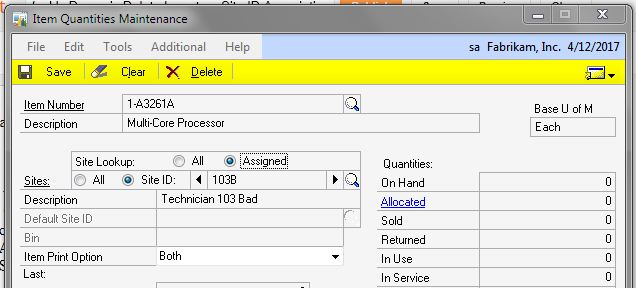
Associating an Inventory item with a site is pretty easy. Removing that association is trickier. Here is one method.
- Select the Inventory Area Page
- Select Quantities/Sites under Inventory Cards
- Enter or Lookup the Item
- Click Assigned
- Click Site ID
- Scroll, Lookup or Enter the Site ID that you want to disconnect
- Click Delete
This removes the association, it doesn’t delete the item.