
Most folks use a dash (“-“) as the account separator in Dynamics GP. However, if you have a long account number, using a dot (“.”) takes up less space on the screen. If you are close, this change can keep you from having to turn on Horizontal Scroll Arrows.
The separator is set in Tools>Setup>Company>Account format with:
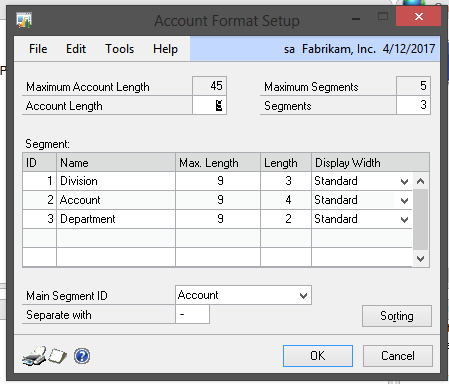
There are no negatives to using a period or dot inside of Dynamics GP but if you are integrating information into GP, you’ll need to make sure that accounts are set as text. Some integration tools automatically try to treat the field as currency because I contains a period.