
Someone came to me the other day with a question about PO’s. They had Purchase Orders with multiple receipts over time and they were trying to figure out what was left on a particular P.O. line. They had been tediously opening each receipts and calculating it by hand. There is a better way.
- Start with Purchasing > Inquiry > Purchase Order Documents.
- Find and select your P.O.
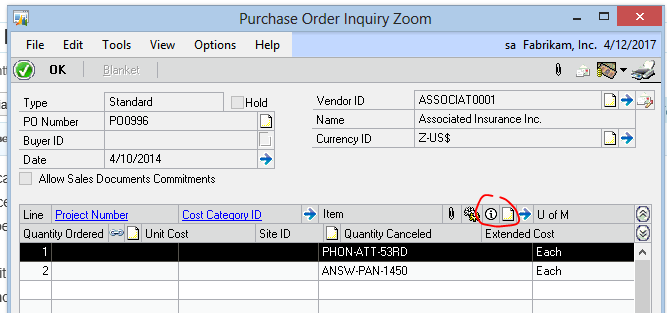
- Click P.O. Number to drill back on the P.O.
- Select the line you want to check and click the icon with the letter “I” in a circle for more information
- A window will open with information about the quantity shipped, invoiced committed and remaining.
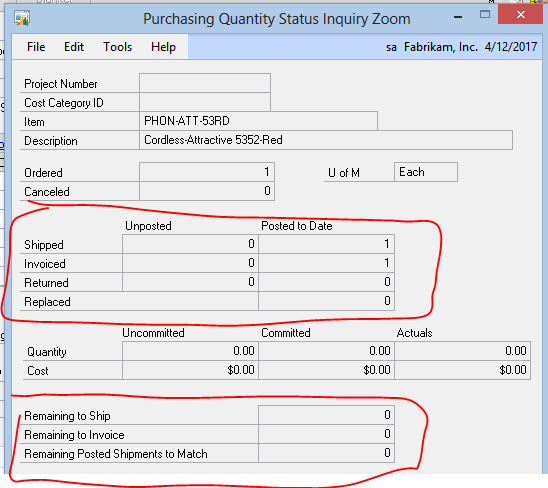
This is a whole lot easier than adding up lines from individual transactions.