
Note: This works in regular Excel, not in Power Pivot and it works with calendar, not fiscal dates.
Let say that you’ve got refreshable Excel reports working in GP, but your data is by day. That can be challenging to deal with in a pivot table…or not. One option if you are using calendar months is to use groups in the pivot table.
Try this:
1) Get your data in Excel.
2) Build your Pivot Table.
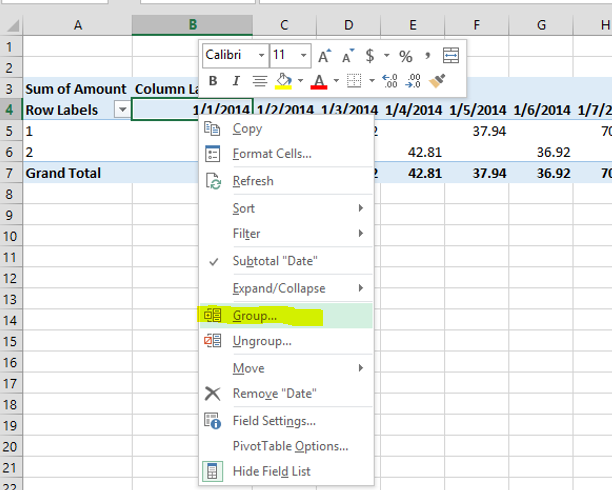
3) Right click on a date field and hit group. Something like this:
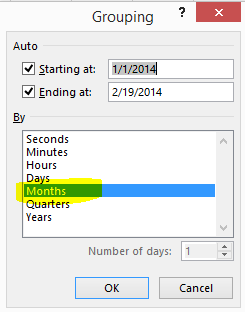
4) Pick Months and click OK
5) Your Pivot Table has now been grouped into months.
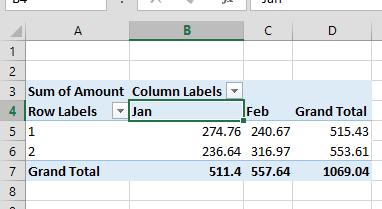
That’s much better.