
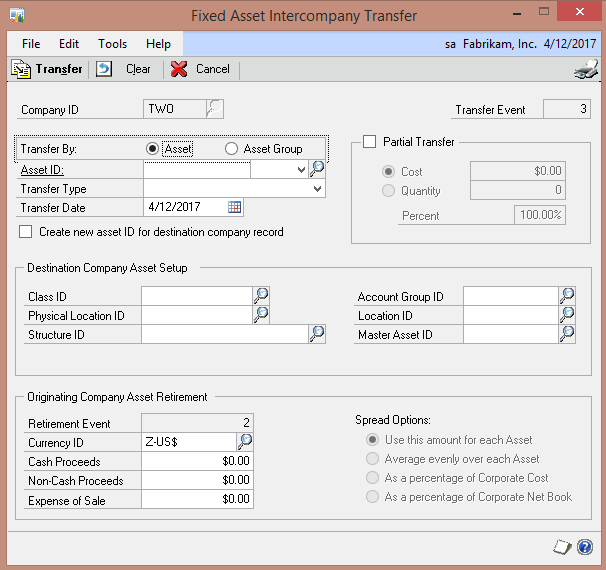
GP 2013 lets you transfer fixed assets between GP companies. Fixed Assets now has an Intercompany Transfer Transaction menu option. To transfer:
- Login to the source company.
- Pick Intercompany Transfer under Financial > Transactions
- Pick the asset or group to transfer
- Select settings for destination asset(s)
- Allocate related retirement costs as necessary.
- You can also do partial retirement.
From an accounting standpoint, this transfer is treated as a retirement on the books of the sending company and a new asset on the books of the receiving company.