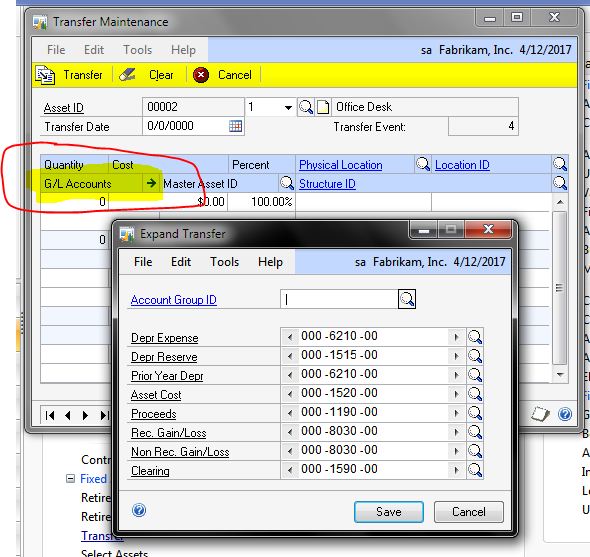
A lot people don’t use Fixed Asset transfers because they think in terms of the physical movement of assets but transfers can be used for more than that. For example, if an asset has been going to a wrong account or if you decide to reorganize fixed assets and change accounts a fixed asset transfer can be used to move the GL accounts.
To transfer GL accounts for Fixed Assets in GP open the Financial Area Page. Under Fixed Assets pick Transfer. Select an asset and transfer date. Click the blue arrow next to G/L Accounts. Change the accounts that need adjustment and click transfer.