If this seems simplistic to some of you, don’t dismiss it. I still see folks who don’t understand this and it can be painful.
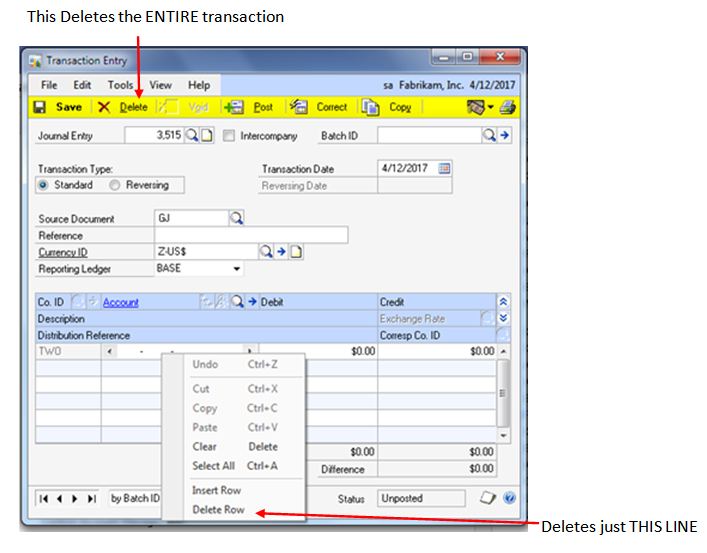
There are three main ways to Delete things in Dynamics GP transactions.
1) Pressing the big Delete button on a batch deletes THAT BATCH and ALL THE TRANSACTIONS IN THAT BATCH
2) Pressing the big Delete button on a transaction deletes THAT ENTIRE TRANSACTION.
3) To delete JUST A LINE, select Edit – Delete Row or Right+Click – Delete Row.