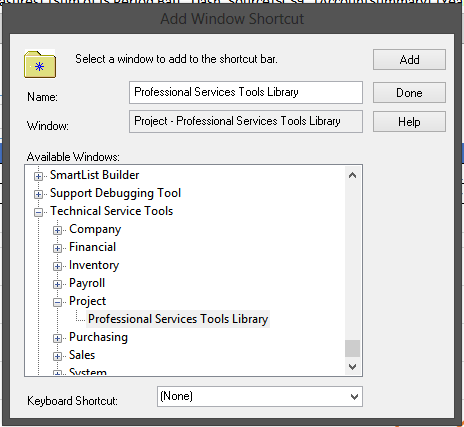
Dynamics GP 2013 is out and the Professional Service Tools Library (PSTL) are now included with the product. You no longer have to download and install them. However, you do have to add the menu to the Shortcut Bar. To add the PSTL menu:
- Right click on the Shortcut bar and select Add > Add Window
- Scroll down and expand Technical Service Tools
- Under Technical Service Tools, expand Project
- Click Add then click Done
The Professional Service Tools will be added to your Shortcut bar.